Managing Devices
How many devices can connect to GoZync?
This is determined by your license level and you can see the number of mobile devices allowed on the "License Admin" tab of the GoZyncHosted.fmp12 file.
Adding and Deleting Devices
Devices are added to your device count when they connect to push or pull data from your hosted files, or when you connect to download a new version of a mobile file. If a device connects to push data and it is over the device count GoZync will throw an error and halt that sync. At that point you'll need to delete an existing device in order to get back under your licensed device count.
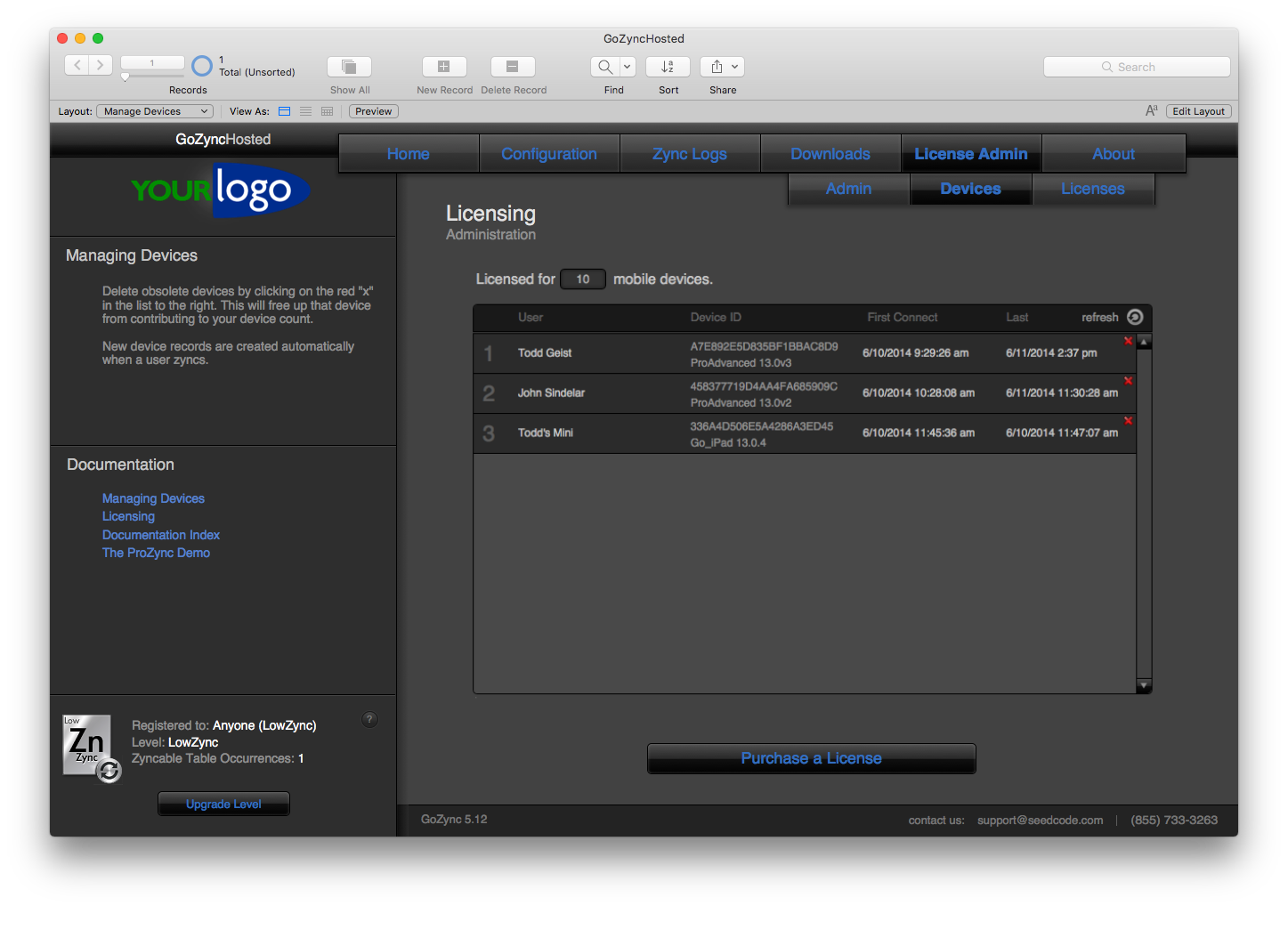
Fortunately it is easy to delete a device, and you can delete a device at any time. For example, if someone gets a new iPad, you'll delete their old one so you don't have it contributing to your device count.
To delete a device, open GoZyncHosted.fmp12 from your host or FileMaker Server, select the "License Admin" tab and click the button to log in as an administrator. (The admin password was on that layout, though you've hopefully changed it and/or removed it from the layout.)
Then click the "Devices" tab: you'll see the following screen where you can delete any devices you need to. They'll be recreated if they try to connect again.
How does Licensing Work?
(Plenty of information on that in our article on " Licensing.")
Adding Licenses
Open GoZyncHosted.fmp12 from your host or FileMaker Server, select the "License Admin" tab, and click the button to "Log in to Manage Users and Licenses". (The default admin password is/was on that layout, though you've hopefully changed it and/or removed it before you deployed.)
Once logged in, click the "Licenses" tab at the top of the screen.
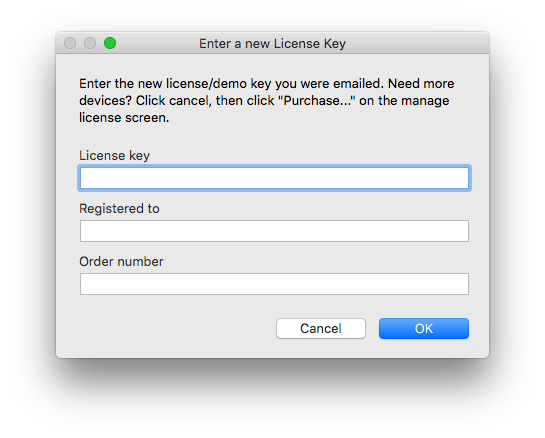
If you have a license key you haven't yet entered, click the green "+" button, which says "Enter a license you've purchased", and fill in the fields provided. You'll need the license key, register-to name, and the order number provided in the email you received when you originally acquired it.
Each license you enter counts toward your total number of licensed devices, so if you only have 10 devices licensed (as shown below)...
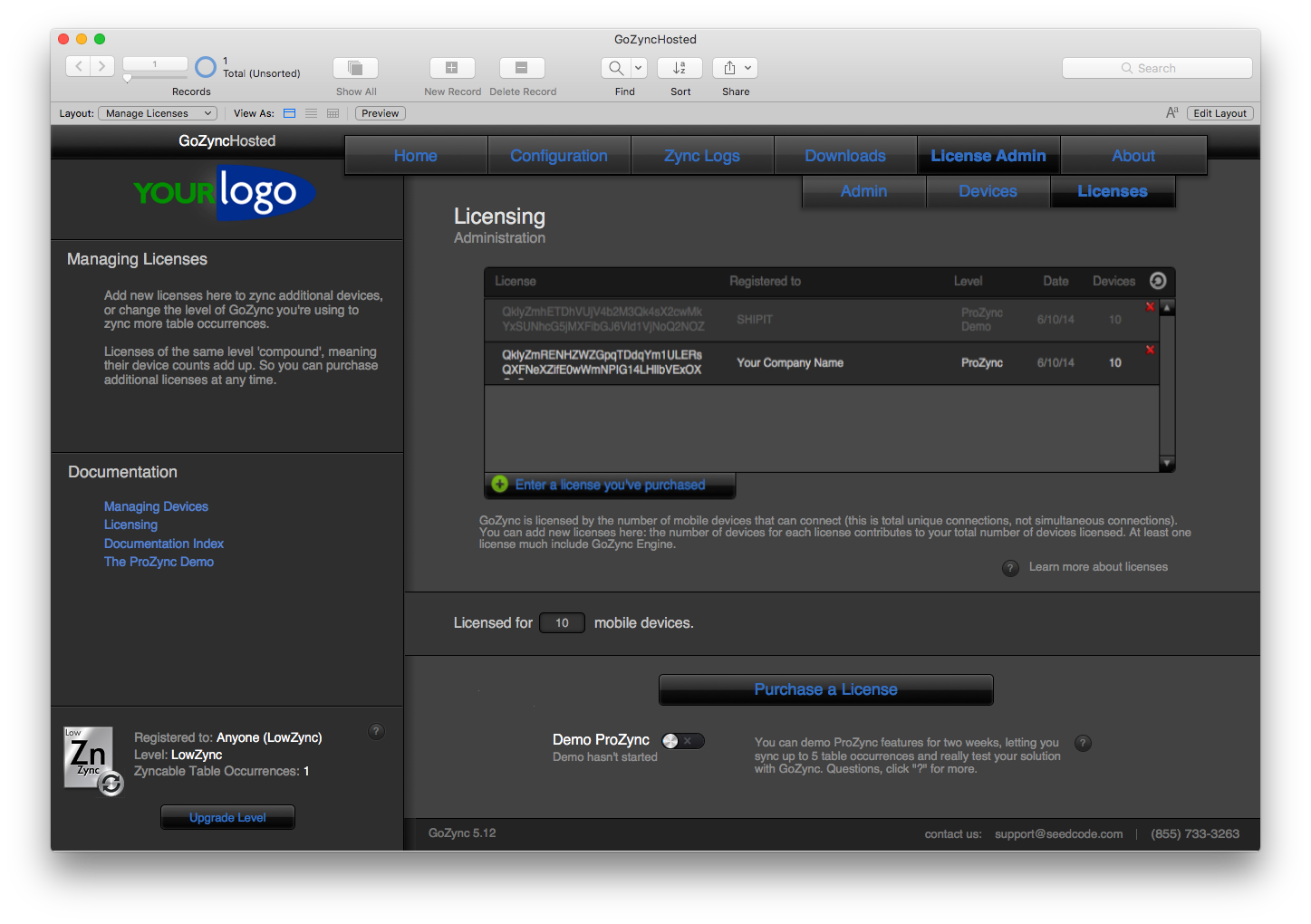
...entering additional license keys will raise that total accordingly.
GoZync is no longer sold, so new or additional licenses are not available.